

Web browser
Software used to access websites
- 7 min read
- 5 chapters

Learn it on Lably
Browsers are used on a range of devices, including desktops, laptops, tablets, smartphones, smartwatches, smart televisions and consoles. As of 2026, the most used browsers worldwide are Google Chrome (~69% market share), Safari (~16%), Edge (~5%), Firefox (~2%), Samsung Browser (~2%), and Opera (~2%). As of 2023, an estimated 5.4 billion people had used a browser.
Function
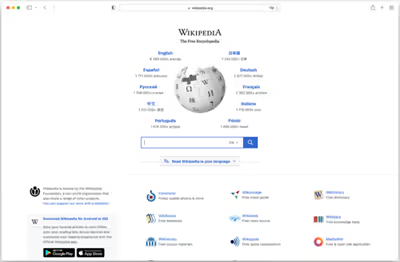
The purpose of a web browser is to fetch content and display it on the user's device. This process begins when the user inputs a Uniform Resource Locator (URL), such as https://en.wikipedia.org/, into the browser's address bar. Virtually all URLs on the Web start with either http: or https: which means they are retrieved with the Hypertext Transfer Protocol (HTTP). For secure mode (HTTPS), the connection between the browser and web server is encrypted, providing a secure and private data transfer. For this reason, a web browser is often referred to as an HTTP client or a user agent. Requisite materials, including text, style sheets, images, and other types of multimedia, are downloaded from the server. Once the materials have been downloaded, the web browser's engine (also known as a layout engine or rendering engine) is responsible for converting those resources into an interactive visual representation of the page on the user's device. Modern web browsers also contain separate JavaScript engines which enable more complex interactive applications inside the browser. A web browser that does not render a graphical user interface is known as a headless browser.
Web pages usually contain hyperlinks to other pages and resources. Each link contains a URL, and when it is clicked or tapped, the browser navigates to the new resource. Most browsers use an internal cache of web page resources to improve loading times for subsequent visits to the same page. The cache can store many items, such as large images, so they do not need to be downloaded from the server again. Cached items are usually only stored for as long as the web server stipulates in its HTTP response messages.
A web browser is not the same thing as a search engine, though the two are often confused. A search engine is a website that provides links to other websites and allows users to search for specific resources using a textual query. However, web browsers are often used to access search engines, and most modern browsers allow users to access a default search engine directly by typing a query into the address bar.
Sign in to keep reading
4 more chapters are free with a Lably account.
History
The first web browser, called WorldWideWeb, was created in 1990 by Sir Tim Berners-Lee. He then recruited Nicola Pellow to write the Line Mode Browser, which displayed web pages on dumb terminals. The Mosaic web browser was released in April 1993, and was later credited as the first web browser to find mainstream popularity. Its innovative graphical user interface made the World Wide Web easy to navigate and thus more accessible to the average person. This, in turn, sparked the Internet boom of the 1990s, when the Web grew at a very rapid rate. The lead developers of Mosaic then founded the Netscape corporation, which released the Mosaic-influenced Netscape Navigator in 1994. Navigator quickly became the most popular browser.
Microsoft debuted Internet Explorer in 1995, leading to a browser war with Netscape. Within a few years, Microsoft gained a dominant position in the browser market for two reasons: it bundled Internet Explorer with its popular Windows operating system and did so as freeware with no restrictions on usage. The market share of Internet Explorer peaked at over 95% in the early 2000s. In 1998, Netscape launched what would become the Mozilla Foundation to create a new browser using the open-source software model. This work evolved into the Firefox browser, first released by Mozilla in 2004. Firefox's market share peaked at 32% in 2010. Apple released its Safari browser in 2003; it remains the dominant browser on Apple devices, though it did not become popular elsewhere.
Google debuted its Chrome browser in 2008, which steadily took market share from Internet Explorer and became the most popular browser in 2012. Chrome has remained dominant ever since. In 2015, Microsoft replaced Internet Explorer with Edge [Legacy] for the Windows 10 release. In 2020, this legacy version was replaced by a new Chromium-based version of Edge.
Since the early 2000s, browsers have greatly expanded their HTML, CSS, JavaScript, and multimedia capabilities. One reason has been to enable more sophisticated websites, such as web apps. Another factor is the significant increase of broadband connectivity in many parts of the world, enabling people to access data-intensive content, such as streaming HD video on YouTube, that was not possible during the era of dial-up modems.
Starting in the mid-2020s, browsers with integrated artificial intelligence (AI) capabilities, known as AI browsers, have become increasingly common. This includes both new entrants to the browser market, such as Perplexity Comet and ChatGPT Atlas, and established browsers that added AI features, such as Chrome with the Gemini chatbot and Edge with the Copilot chatbot.
Features
The most popular browsers share many features. They automatically log users' browsing history, unless the users turn off their browsing history or use the non-logging private mode. They also allow users to set bookmarks, customize the browser with extensions, and manage their downloads and passwords. Some provide a sync service and web accessibility features.
Common user interface (UI) features:
- Allowing the user to have multiple pages open at the same time, either in different windows or in different tabs of the same window.
- Back and forward buttons to go back to the previous page visited or forward to the next one.
- A refresh or reload and a stop button to reload and cancel loading the current page. (In most browsers, the stop button is merged with the reload button.)
- A home button to return to the start page.
- An address bar to input the URL of a page and display it, and a search bar to input queries into a search engine. (In most browsers, the search bar is merged with the address bar.)
While mobile browsers have similar UI features as desktop versions, the limitations of the often-smaller touch screens require mobile UIs to be simpler. The difference is significant for users accustomed to keyboard shortcuts. Responsive web design is used to create websites that offer a consistent experience across the desktop and mobile versions of the website and across varying screen sizes. The most popular desktop browsers also have sophisticated web development tools.
Access to some web content — particularly streaming services like Netflix, Disney+, and Spotify — is restricted by Digital Rights Management (DRM) software. A web browser is able to access DRM-restricted content through the use of a Content Decryption Module (CDM) such as Widevine. As of 2020, the CDMs used by dominant web browsers require browser providers to pay costly license fees, making it unfeasible for most independent open-source browsers to offer access to DRM-restricted content.
Browser market
Google Chrome has been the dominant browser worldwide since the mid-2010s and currently has a 69% global market share on all devices. The vast majority of its source code comes from Google's open-source Chromium project; this code is also the basis for many other browsers, including Microsoft Edge, currently in third place with about a 5% share, as well as Samsung Internet and Opera in fifth and sixth places respectively with approximately 2% market share each.
The other two browsers in the top four are made from different codebases. Safari, based on Apple's WebKit code, is the second most popular web browser and is dominant on Apple devices, resulting in a 16% global share. Firefox, in fourth place, with about 2% market share, is based on Mozilla's code. Both of these codebases are open-source, so a number of small niche browsers are also made from them.
The following table details the top web browsers by market share, as of April, 2025:
Market share by type of device
Prior to late 2016, the majority of web traffic came from desktop computers. However, since then, mobile devices (smartphones) have represented the majority of web traffic. As of February 2025, mobile devices represent a 62% share of Internet traffic, followed by desktop at 36% and tablet at 2%.
Security
Web browsers are popular targets for hackers, who exploit security holes to steal information, destroy files, and partake in other malicious activities. Browser vendors regularly patch these security holes, so users are strongly encouraged to keep their browser software updated. Other protection measures are antivirus software and being aware of scams.
Privacy
During the course of browsing, cookies received from various websites are stored by the browser. Some of them contain login credentials or site preferences. However, others are used for tracking user behavior over long periods of time, so browsers typically provide a section in the menu for deleting cookies.
Some browsers have more proactive protection against cookies and trackers that limit their functionality and ability to track user behaviour. Finer-grained management of cookies usually requires a browser extension. Telemetry data is collected by most popular web browsers, which can usually be opted out of by the user.
A study from 2020 portrays that there are two tiers of browsers in terms of privacy: the privacy-focused browsers (Brave, DuckDuckGo, LibreWolf, Tor, Mullvad, Helium and Firefox Focus) perform better than popular browsers (Chrome, Firefox, and Safari) and recommend the former browsers. Blocking fingerprinting, cookies, tracking scripts, ads, etc. seems to explain that difference.